VargLink guide
How to install VargLink, connect your motorcycle, sign in to your Stark account and control charging from the website. Tap a section to open it.
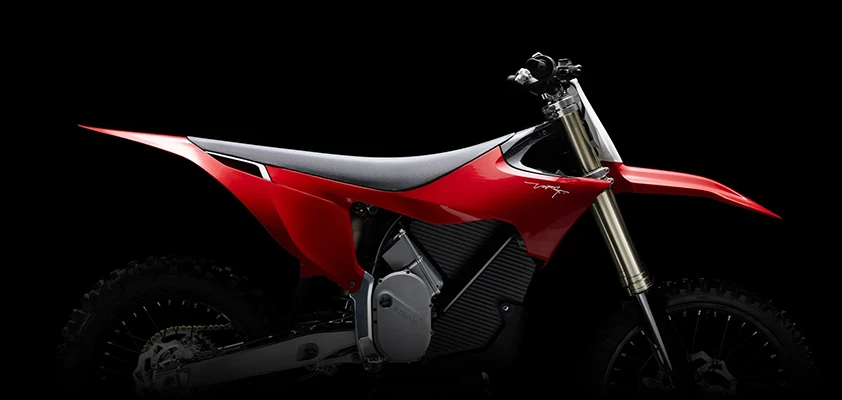
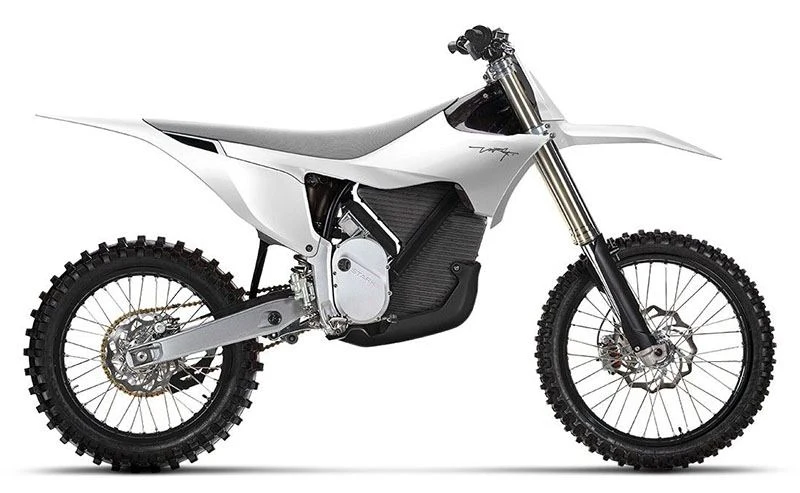
1Where to install
VargLink runs on Android 8.0 and newer. You can install it on your own phone, on the Stark phone on the handlebar, or on both.
Stark phone
This is the Arkenstone, or the Blackview «VARG» on the first bikes. It runs the stock Varg app. VargLink doesn't get in its way, and if you don't need Varg, VargLink can disable it (see «Disable Varg» below).
- Varg keeps the link to the motorcycle itself; VargLink joins that link and reads the data: charge, battery, charging.
- To write a setting (charging power and limit, power modes) VargLink takes the link for a few seconds and hands it back to Varg. While charging it keeps the link until the charger is unplugged.
- When charging starts, the VargLink screen opens on top of Varg: power, limit and time to finish. Turn it off in Settings → «On top of Varg while charging».
- When you switch programs on the handlebar, Varg shows values from its own memory, not from the bike. VargLink covers its ovals with the real values: Settings → «Program ovals over Varg».
- For screens on top of Varg, Android asks for the «Display over other apps» permission — allow it.
- After the phone restarts, VargLink starts by itself in the background.
The Stark phone always stays with the bike. If it has internet (a SIM card or garage Wi-Fi), turn on remote access on it — then everything is available on the website from your own phone and computer.
Disable Varg
While Varg is enabled it always holds the bike, and VargLink only listens. You can disable Varg right from VargLink, no computer needed (Android 11 or newer):
- Settings → Devices → «Disable Varg». VargLink shows the steps and ticks off the ones already done.
- Turn on developer options: «About phone» → tap «Build number» 7 times. Connect to any Wi-Fi — no internet needed, a hotspot from another phone will do.
- Tap «Start». In «Developer options» turn on «Wireless debugging» and allow it on this network.
- The first time, open «Wireless debugging» → «Pair device with pairing code». A VargLink notification appears — tap «Enter code» and type the 6 digits from the dialog. No code is needed after that.
- VargLink disables Varg and turns debugging off by itself. Varg's data and login are kept; it just no longer starts.
- Right after that VargLink asks how ride mode should turn on: «Automatically» — by itself when a gear is engaged.
- To bring Varg back: Settings → Devices → «Bring Varg back» opens its page in the phone settings — tap «Enable».
On firmware 1.15, sign in to your Stark account first: without Varg and without signing in, VargLink can't see the battery charge.
Your own phone
- VargLink connects to the motorcycle by itself if the link is free.
- If Varg is installed on the phone, they work together just like on the Stark phone. Nothing needs to be turned off.
- The motorcycle keeps only one Bluetooth link. While the Stark phone or another phone holds it, yours will not find the bike: turn off Bluetooth on that device or use the website.
iPhone
The iPhone and Apple Watch versions are ready and waiting for Apple's approval — coming to the App Store soon.
2Installation
VargLink is not on Google Play — it is installed from an APK file from the website.
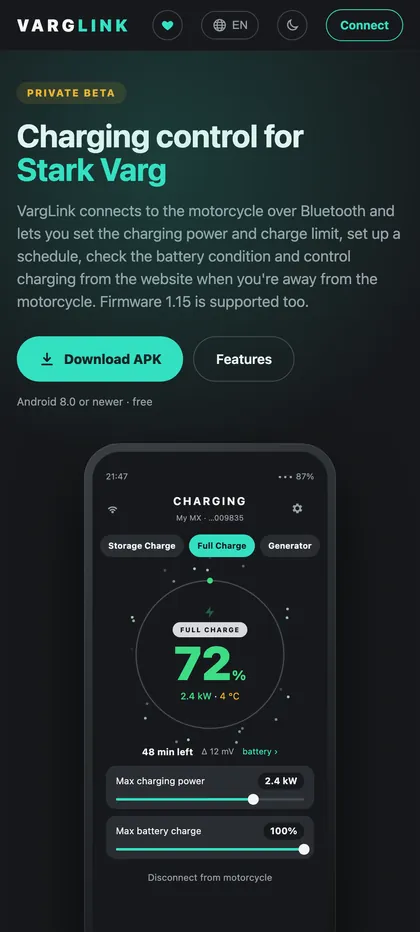
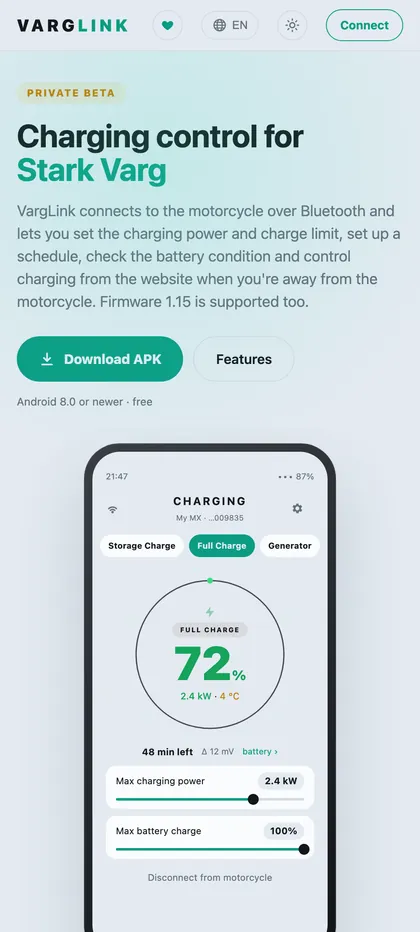
- Open varglink.aupov.tech on the phone and tap «Download APK». If the site does not fully load without a VPN, use varg.aupov.tech.
- From a computer: the home page has a QR code — point the phone camera at it and the APK downloads right away.
- Open the downloaded file. Android asks to allow installing apps from the browser — allow it and tap «Install».
- VargLink offers updates by itself: «New version available». You do not need to download it from the website again.
Permissions on first launch
- Nearby devices — without it VargLink cannot find the motorcycle.
- Location — only on Android 11 and older: there the phone does not see Bluetooth devices while location is off. VargLink does not use your location.
- Notifications — about charging, the schedule and maintenance.
- Background work — if you use remote access or the schedule, remove battery optimisation for VargLink: Android settings → Apps → VargLink → Battery → «Unrestricted» (the name depends on the phone).
3Connecting to the motorcycle
- Turn the motorcycle on and keep the phone nearby.
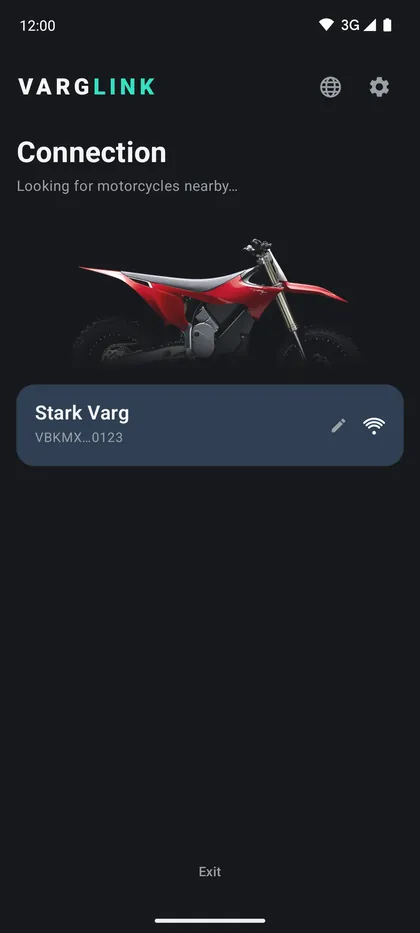
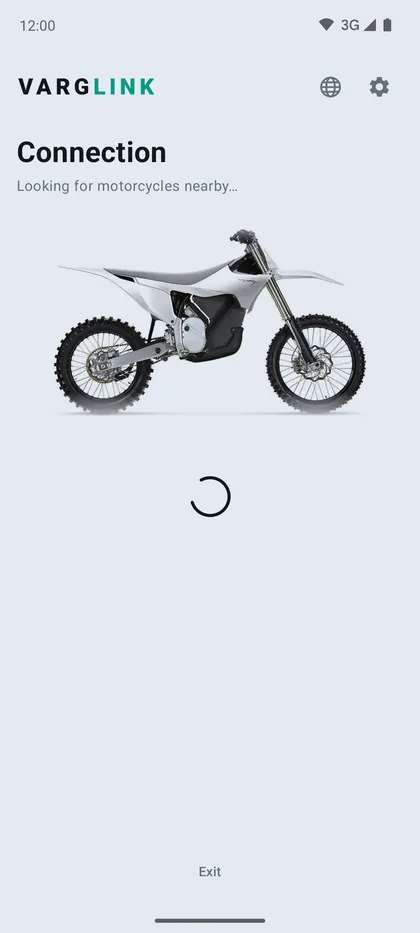
- Open VargLink — the search starts: «Looking for motorcycles nearby…». Pick your motorcycle in the list.
- The first connection takes up to a minute. The screen shows in turn: «Establishing link…» → «Checking access…» → «Receiving data…», then the main screen with the charge ring.
- If Android asks to pair with the motorcycle, confirm.
- You can give the motorcycle your own name, for example «My MX».
The motorcycle is not found
- The motorcycle is asleep — turn it on.
- Another device holds it: the Stark phone, a second phone with Varg or VargLink, VargPilot. Turn off Bluetooth there or close the app.
- Bluetooth is off on the phone, or the «Nearby devices» permission was not granted.
If connecting stops at «Checking access…», the motorcycle did not accept the sign-in — see «Stark account sign-in».
Useful
- Limited mode (Settings) — view only, without pairing the phone with the motorcycle.
- Keep screen on (Settings) — so the screen does not turn off while VargLink is open.
- To disconnect from the motorcycle — the button at the bottom of the main screen.
4Stark account sign-in
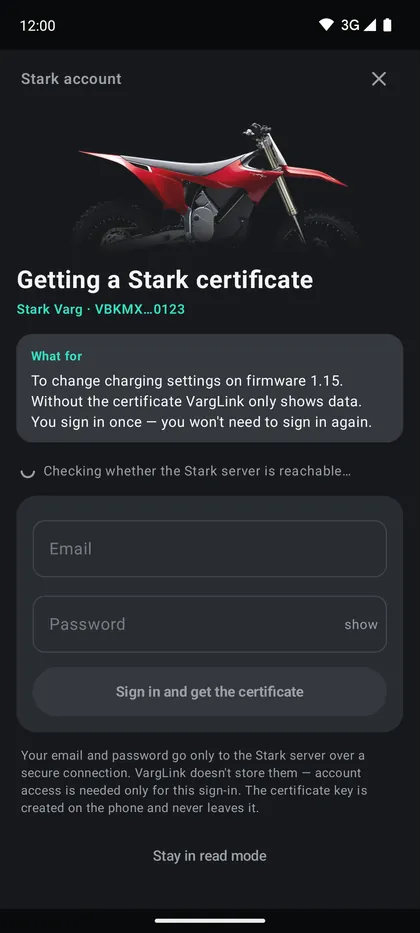
Not everyone needs to sign in. VargLink asks by itself when it cannot do without it.
When it is needed
- Firmware 1.15 and newer. Charging and power modes can be changed only with a Stark certificate. Without it VargLink only shows data.
- Firmware before 1.15, if the pairing PIN did not fit — this happens with resold motorcycles. The sale date and PIN are in your Stark account.
- «About the motorcycle» — power, equipment and warranty.
- Moving remote access to a new phone without the old password.
How to sign in
- Email and password are the same as in the stock Varg app. The motorcycle must be in your account.
- You sign in once on each phone — VargLink will not ask again.
- The phone needs internet. From Russia the Stark server often opens only through a VPN — VargLink checks this and tells you.
- Do not want to sign in — tap «Stay in read mode».
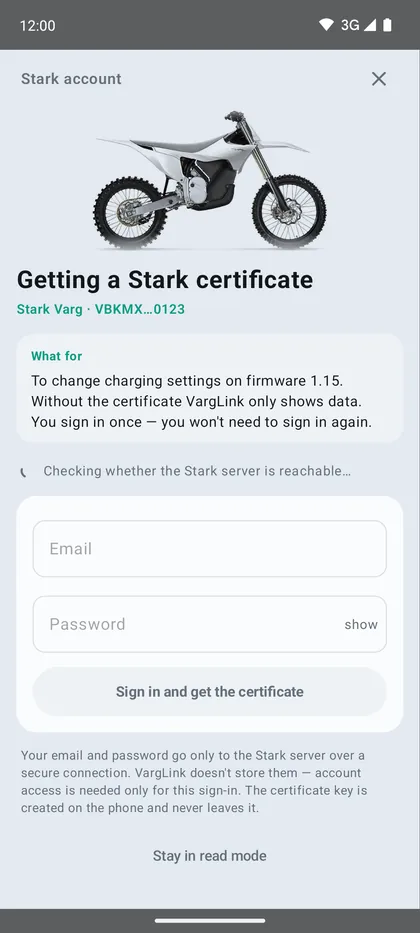
Email and password go only to the Stark server over a secure connection; VargLink does not store them. The certificate key is created on the phone and never leaves it. Never send your Stark password to anyone — including the developer.
5Remote access
A phone with VargLink left with the motorcycle sends data to the website and runs commands from it. This way you can control charge and charging from a browser when you are away.
How to turn it on
- Connect to the motorcycle.
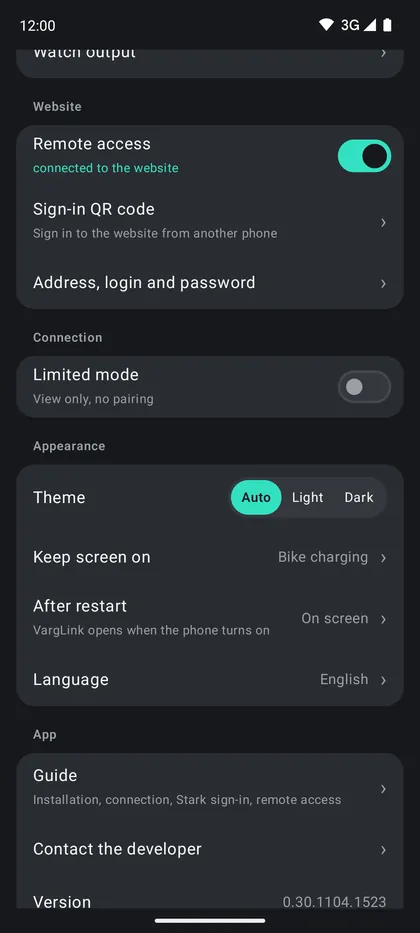
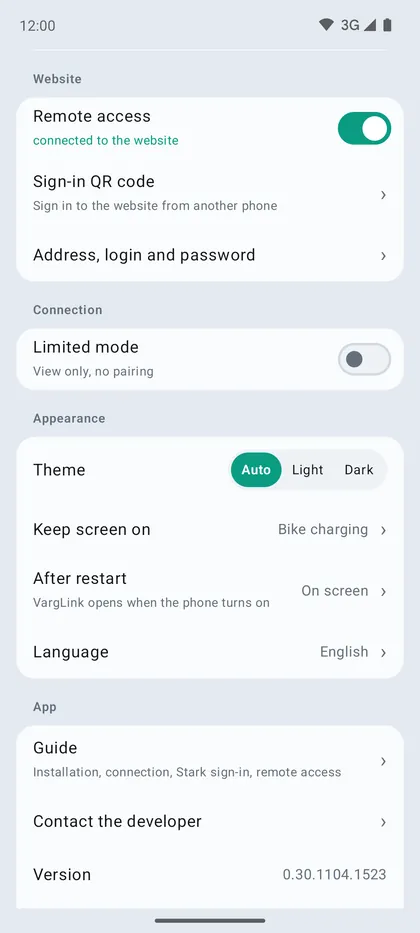
- Settings → Website → «Remote access». «connected to the website» appears under the switch.
- «Address, login and password»: the login is the motorcycle VIN, VargLink creates the password itself. Tap a field to copy it.
The phone at the motorcycle
- It needs internet: a SIM card or Wi-Fi.
- Remove battery optimisation for VargLink, otherwise Android unloads it and the website says «phone offline».
- Settings → «After restart» → «In background»: VargLink starts by itself if the phone restarts.
- While the phone is charging VargLink works in full mode, without charging — in saving mode.
Several phones and motorcycles
- Remote access can be turned on on several phones of one motorcycle. The password reaches the other phones by itself; the website works through the one that is next to the motorcycle.
- One phone can serve several motorcycles and switches to the right one by itself.
- «Motorcycle already connected» — access is on on another phone or in a previous VargLink installation. Wait as long as the window says, or tap «Sign in with Stark account» — access moves right away.
Password and security
- «Change password» closes all website sign-ins at once. The other phones of the motorcycle get the new password by themselves.
- The password is not sent to the server: commands are signed with a key that exists only in your browser and on the phone.
- If the phone is offline for a while, a command from the website is applied when it comes back online (within 15 minutes).
6Signing in from a computer or another phone
First turn on remote access on the phone at the motorcycle.
With VIN and password
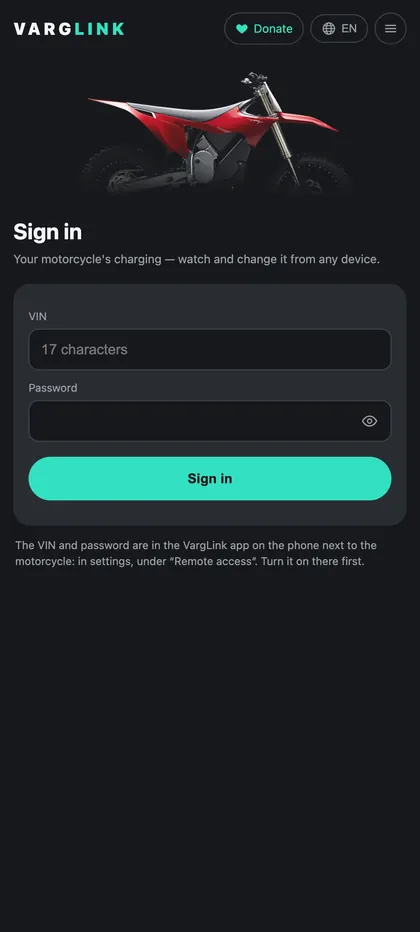
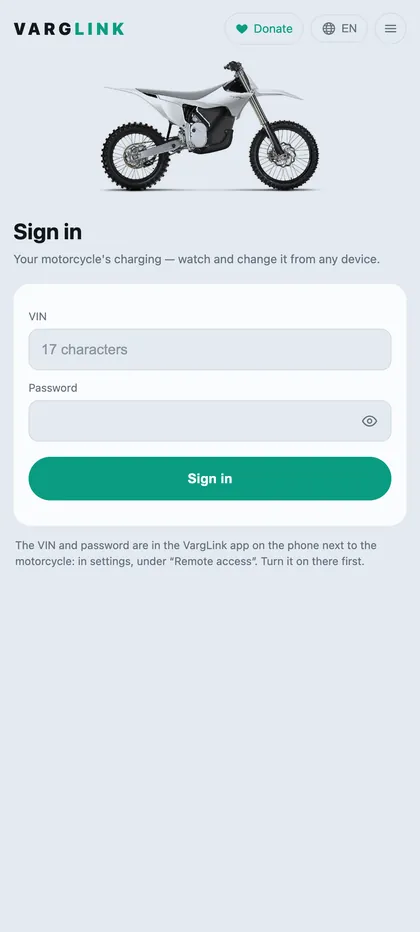
- Open varglink.aupov.tech and tap «Connect».
- The login is the VIN, the password is in the app: Settings → Website → «Address, login and password».
- If you have several motorcycles — «My motorcycles» → «Sign in to another motorcycle».
With a QR code — for another phone
- On the phone at the motorcycle: Settings → Website → «Sign-in QR code».
- Point another phone's camera at the code — the website opens and signs in to the motorcycle right away.
- The code works once and is valid for 24 hours. Do not show it to strangers.
What the website has
- Charge, charging progress and time to finish; the «Control» button — charging power, limit and profiles, «Stop charging».
- Battery state, «Charge this week», «Charging history», «Fault log».
- Home Assistant (in the menu): a read-only key. Paste it into secrets.yaml and configuration.yaml as the website shows and restart Home Assistant. Data updates once a minute while the phone is connected to the motorcycle. The key stops working when the password changes or remote access is turned off.
- Sign out — in the menu.
7Telegram notifications
The bot @VargLinkBot messages you about the motorcycle when you are not around. Remote access is required: the bot reads data from the server while the phone at the motorcycle is online.
What it sends
- Charging finished — to what percentage, how much was added and how long it took. Short top-ups at the limit are not sent.
- Charging stopped before the limit — at what percentage and why: the charger was unplugged, the motorcycle fell asleep.
- The motorcycle fell asleep on the charger and won't start charging on its own — switch it on with the button.
- A fault and a hot battery (above 45 °C).
- No data for 15 minutes while charging — and a message when the connection is back.
- The battery of the phone at the motorcycle is at 15% or lower.
How to connect
- Website: sign in to your garage on varglink.aupov.tech → menu ☰ → «Telegram notifications» → «Connect Telegram».
- Or in the Android app on the phone at the motorcycle: Settings → Website → «Telegram notifications».
- A QR code appears — scan it with the camera of a phone that has Telegram. If Telegram is on the same device, tap «Open Telegram».
- In Telegram, tap «Start» — the bot replies «Done». The link works for 15 minutes and only once.
In the bot
- /status — charge, whether it is charging, time left, battery temperature.
- /settings — what to send (each event can be turned on and off) and «Disconnect this bike».
- Up to 5 chats can be connected to one motorcycle — for example, your own and a family chat or a group.
- Read-only: the motorcycle can't be controlled from Telegram.
- When the password changes or remote access is turned off, the chats are disconnected — connect them again.
8Charging
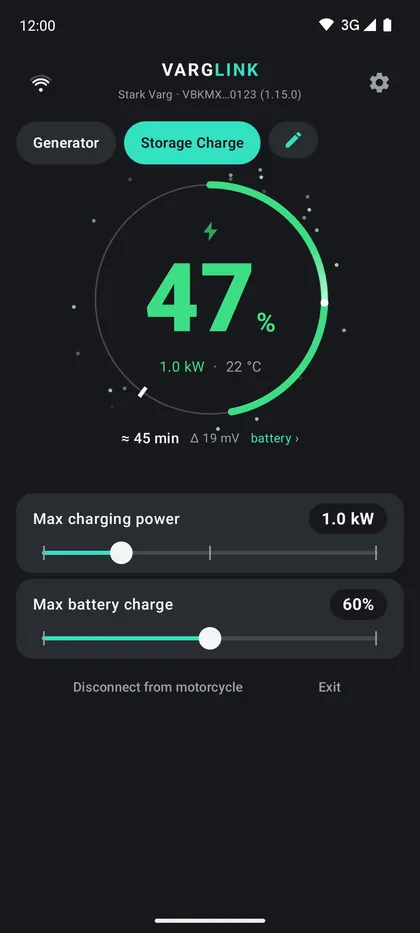
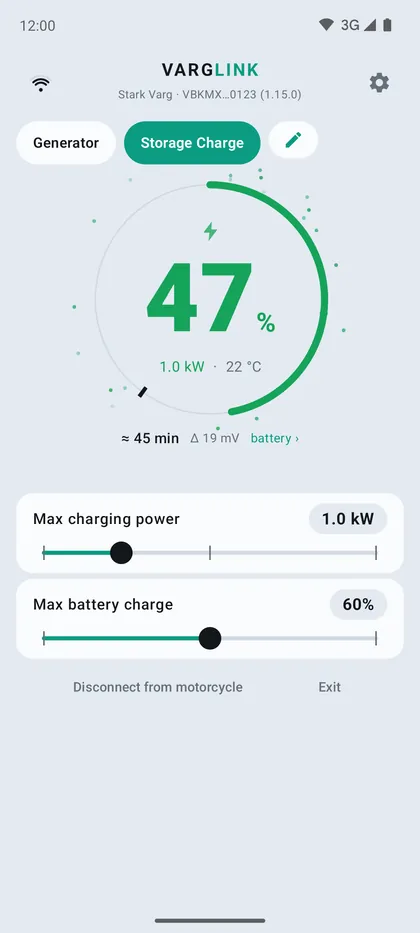
- The main screen shows charge, power, battery temperature, time left to the limit and cell imbalance.
- «Max charging power» — from 0.3 to 3 kW, «Max battery charge» — the limit where charging stops.
- Charging modes (Settings): ready-made Storage Charge (60 % — for storage) and Full Charge, you can add your own.
- Generator: charging starts at 1 kW and adds 0.2 kW every 30 seconds. If power is lost — straight back to 1 kW and a smooth ramp again. After three overloads in 30 minutes the ceiling drops by 0.2 kW and is remembered for the profile.
- Charging schedule (Settings): rules by day of the week — switch a profile at a set time or «Ready by»: charge by the hour you need, VargLink works out the start time itself. If the motorcycle is not connected, VargLink connects, applies the setting and disconnects.
- Charging history (Settings): from what to what percent, how many kWh went in, time, power, imbalance and temperature at the start and end. The same history is on the website.
On firmware 1.15 charging can be changed only after signing in to your Stark account.
A motorcycle that fell asleep on a plugged-in charger will not start charging by itself — turn it on with the button.
9Power modes
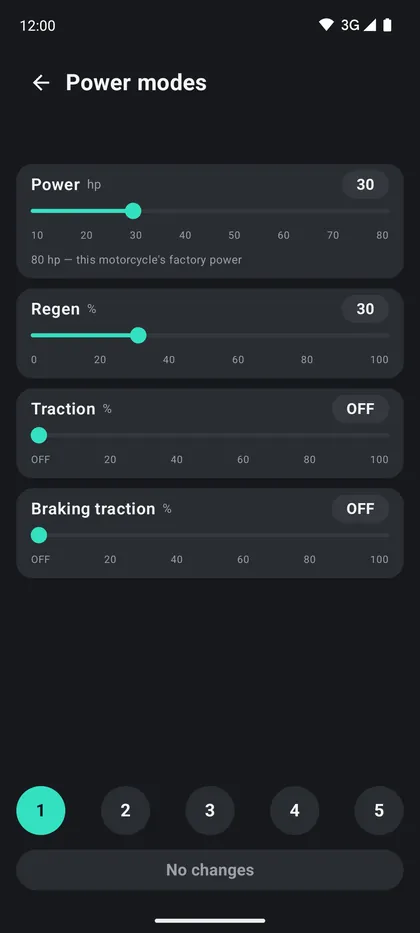
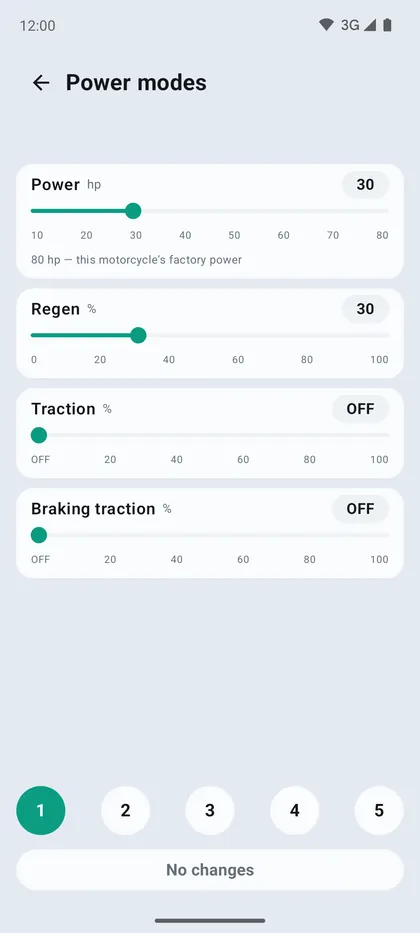
- Settings → «Power modes»: power and regeneration of the five programs. The motorcycle confirms every write.
- Works on firmware 1.15 after signing in to your Stark account. Power never goes above the factory level.
- On the Stark phone VargLink shows the real values from the motorcycle over the Varg ovals when you switch programs.
- If the handlebar remote loses its link to the motorcycle, VargLink warns you: programs cannot be switched from the handlebar at that time.
10Watches
Watches work only through a phone with VargLink — they do not connect to the motorcycle directly. The phone must be near the motorcycle.
Garmin
- Install VargLink on the watch from the Connect IQ store or from the website: varglink.aupov.tech/garmin.
- On the watch VargLink goes to «Activities», not «Apps». If it isn't in the Start button list, open the watch in Garmin Connect → «Activities», add VargLink with the plus, then sync.
- The watch must be paired with this phone in Garmin Connect.
- In VargLink: Settings → «Watch output» → «Add a watch» → Garmin.
On the watch: charge, program, charging progress, a vibration when the program changes. «Start ride» records an activity to Garmin Connect.
Amazfit
- Install VargLink on the watch from the store in the Zepp app: watch → App Store → search «VargLink». Details on the page varglink.aupov.tech/amazfit.
- The watch must be connected to the Zepp app on the same Android phone that runs VargLink. Amazfit doesn't work with iPhone yet.
- Open VargLink on the watch — it shows up in VargLink by itself: Settings → «Watch output».
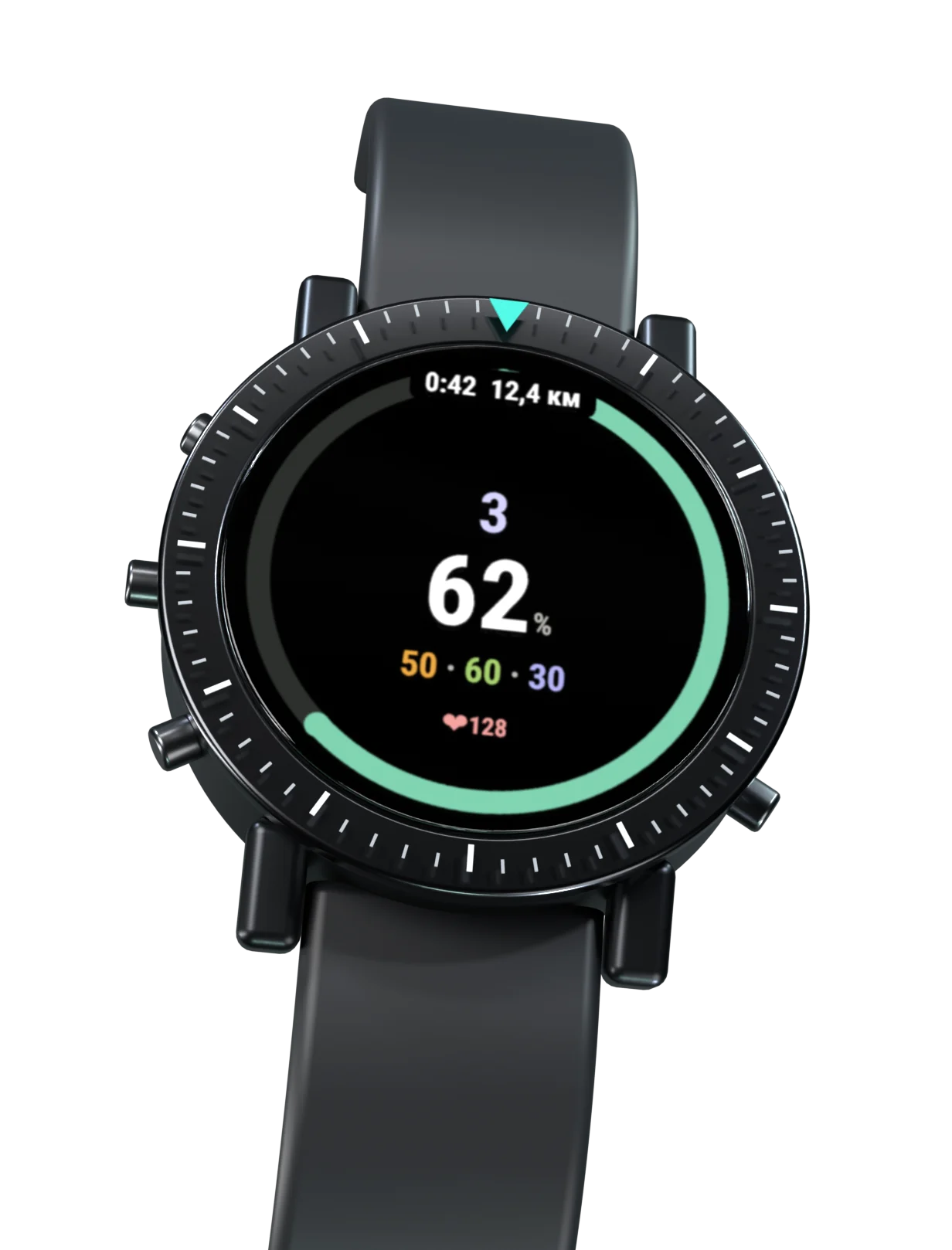
Three ride screens: «Ring», «Battery colour» — the whole screen coloured by charge, and «Charge and map» — both numbers large. Switch with a long touch on the screen or a long button press. The up and down buttons open the five programs. Crab and reverse are shown as arrows.
Charge on the watch while riding unlocks as a thank-you to the developer — see «Support the project». While charging, the charge is visible to everyone.
Apple Watch — together with the iPhone version: waiting for Apple's approval, coming soon. Huawei and Xiaomi — planned.
11Smart plugs
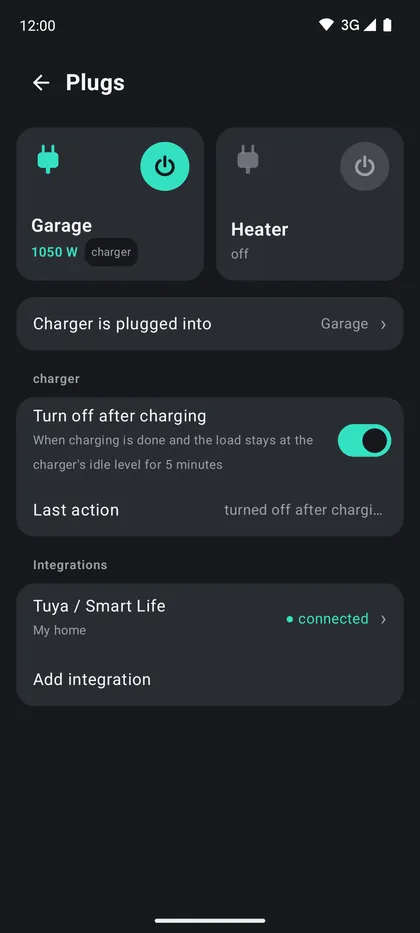
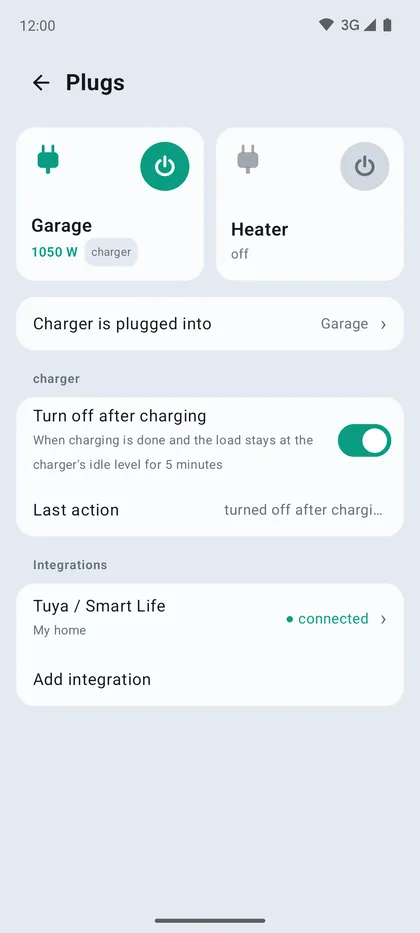
Turn the charger plug on and off from VargLink and the website, and turn it off after charging. Remote access is required: the server turns the plug off even when the phone is not nearby.
- Plugs from the Smart Life and Tuya Smart apps are supported. The Smart Life password is not needed.
- Settings → «Plugs» → «Add integration».
- Enter the user code: Smart Life → «Me» → gear → «Account and Security» → «User code» (at the bottom).
- Scan the QR code in Smart Life — the scanner icon on the home screen, top right. If Smart Life is on the same phone, tap «Save QR to gallery» and pick it from the album in the scanner.
- Choose which plug the charger is in and turn on «Turn off after charging»: the plug turns off when charging has finished and the charger has been idling for 5 minutes.
In Smart Life the link is called «Home Assistant» — VargLink uses the same Tuya sign-in mechanism.
12Battery and diagnostics
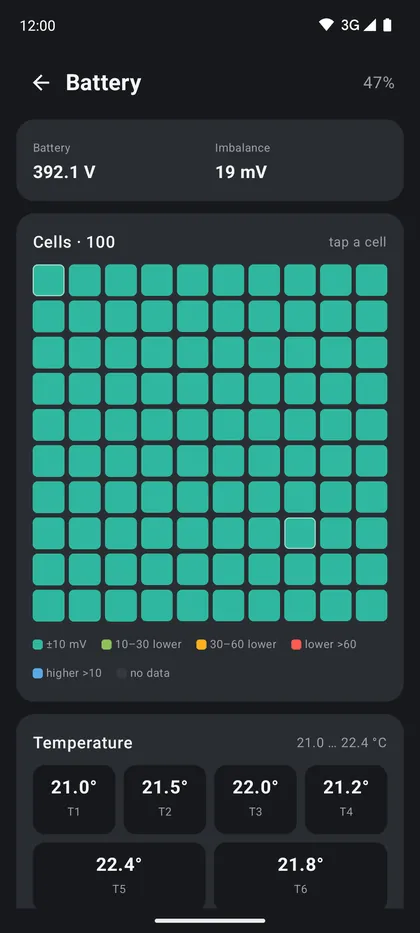
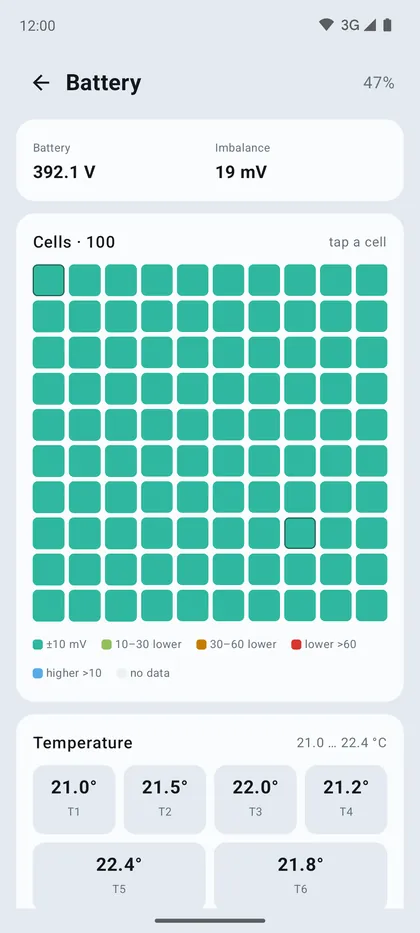
- Battery — tap the charge ring. All 100 cell groups: the colour shows the deviation from the average, tap to see the voltage. Pack voltage, imbalance, groups without readings and temperature sensors (below +5 °C — orange, below 0 °C — red). The website has the same section.
- Diagnostics (Settings): state, battery, inverter, charger, firmware versions; a drawing of the remote with its LED, brake, lock.
- Fault log (Settings): when, what happened and the state of the motorcycle at that moment.
- About the motorcycle (Settings): mileage, lifetime energy, power, equipment and warranty.
VargLink only shows faults. If the red light is on or there is no drive, try restarting the motorcycle by holding both program buttons; if that does not help — go to a dealer or Stark.
13Maintenance reminders
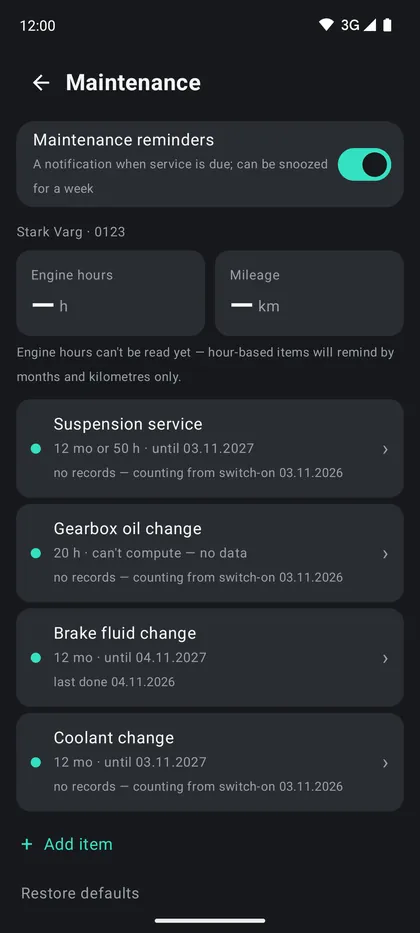
VargLink reminds you when the motorcycle needs service: by months, engine hours or kilometres — whichever comes first. Intervals are tracked for each motorcycle separately.
- Settings → «Maintenance» → turn on «Maintenance reminders».
- Default items: suspension service (12 months or 50 engine hours), gearbox oil change (20 engine hours), brake fluid and coolant change (12 months each).
- When an item is due, you get a notification and a banner appears on the main screen. «Snooze for a week» — remind later.
- Done the work — tap «Done» on the item and the countdown starts over. Earlier work can be logged after the fact: tap the item and enter the date.
- Your own items — «Add item»: a name and an interval in months, engine hours or kilometres. «Restore defaults» brings back the original list.
Engine hours are not read from the motorcycle yet, so an item based only on engine hours (gearbox oil) won't remind you by itself — keep an eye on it yourself.
14If something does not work
- Does not find the motorcycle — see «Connecting to the motorcycle».
- Stuck on «Checking access…» — see «Stark account sign-in».
- The link drops right after connecting — turn Bluetooth off and on on the phone; remove the motorcycle from paired devices in Bluetooth settings and connect again; close Varg on other devices.
- The website says «phone offline» — the phone at the motorcycle has no internet, Android unloaded VargLink (remove battery optimisation) or remote access is off.
- Zeros instead of data on firmware 1.15 next to Varg — open Varg and wait for it to connect to the motorcycle, or sign in to your Stark account in VargLink.
Contact the developer
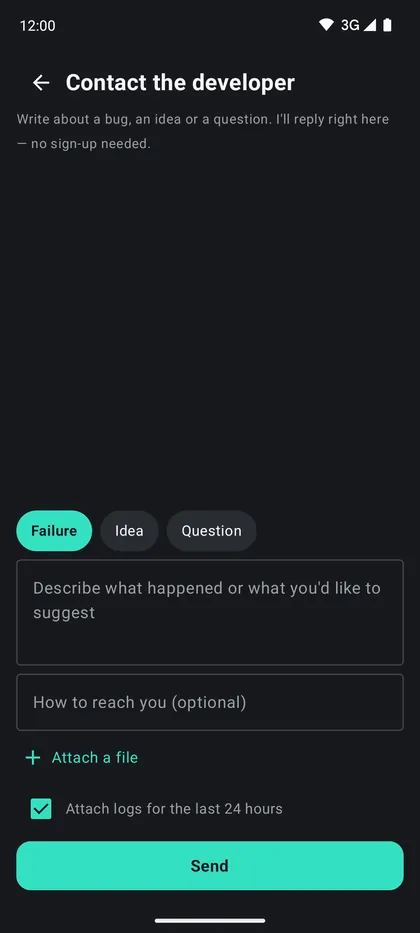
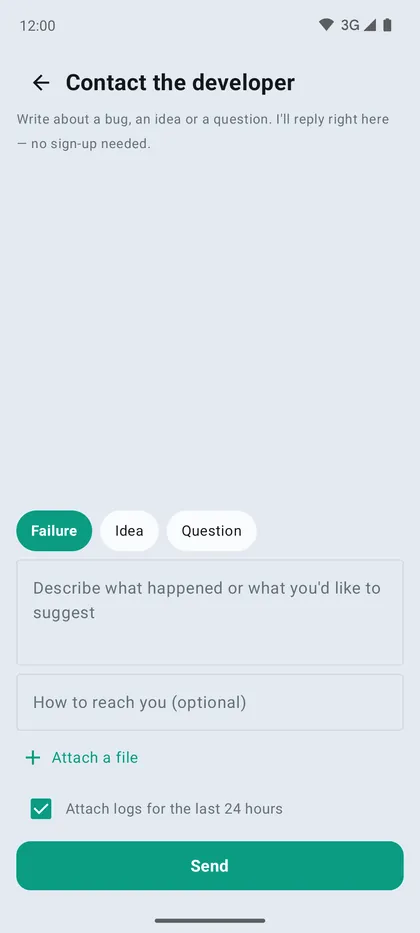
Settings → «Contact the developer»: describe what happened and keep «Attach logs for the last 24 hours» checked. The reply comes to the same window. Do not send passwords or PINs.
Questions about the motorcycle itself — in the Stark Varg FAQ.
15Support the project
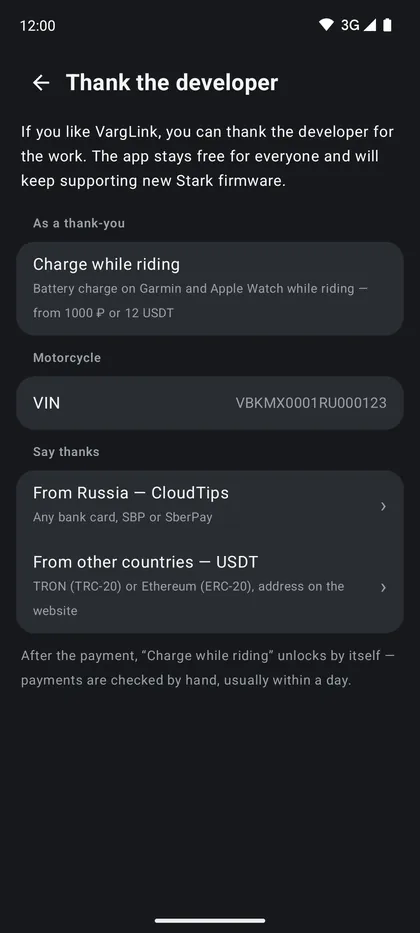
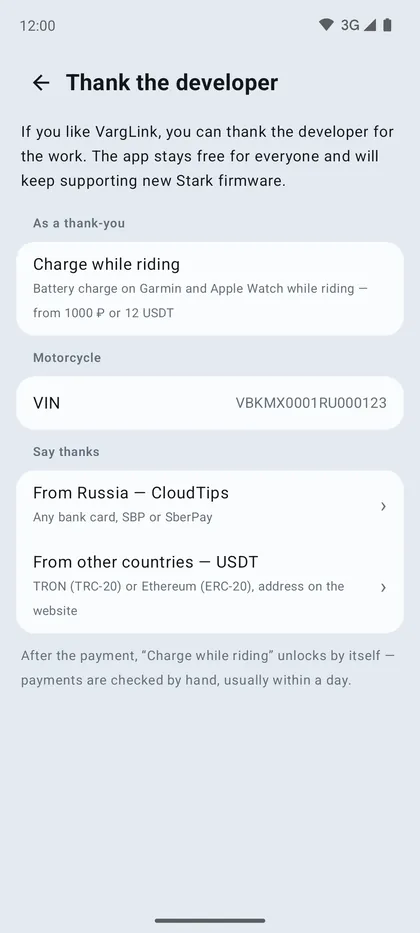
VargLink is free, without ads or subscriptions. If it helped you, you can thank the developer: Settings → «Thank the developer» or on the website.
- From Russia — CloudTips: any bank card, SBP or SberPay.
- From other countries — USDT: TRON (TRC-20) or Ethereum (ERC-20), the address is on the website.
A thank-you of 1000 ₽ or 12 USDT or more unlocks «Charge while riding» — the battery charge on Garmin and Apple Watch while riding. Enter the motorcycle VIN in the app and add a comment with the code the app shows to your transfer. The transfer is checked by hand, usually within a day, and then the feature unlocks by itself.
The same thank-you unlocks «Bike sale passport» (Settings → «Bike sale passport») — a page for the buyer via a link and QR code: equipment, mileage and engine hours, battery condition, warranty and maintenance. The data is taken from the connected bike, and the buyer sees the snapshot date.
Updated 18.11.2026 · Stark Varg FAQ · Privacy